
If you are a dentist directly contracted with the Cigna Dental network, you can access and download a copy of your Cigna PPO and/or DHMO fee schedules directly from the provider portal (CignaforHCP.com).
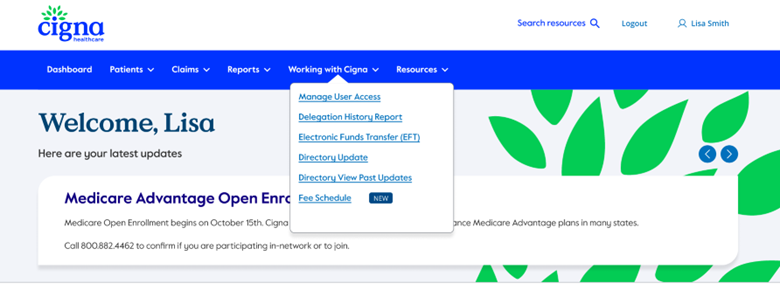
This convenient functionality can be accessed by logging into the Cigna for Healthcare Professionals website at CignaforHCP.com, navigating to the “Working with Cigna” section, and selecting “Fee Schedule.”
It’s important to note that this feature will only be accessible to users with claim search entitlement. No fee schedule search results will return if you are not contracted in the Cigna network.
Here are the step-by-step instructions on how to access your dental fee schedule:
1. Log in to CignaforHCP.com, select “Working with Cigna,” and click on “Fee Schedule.”
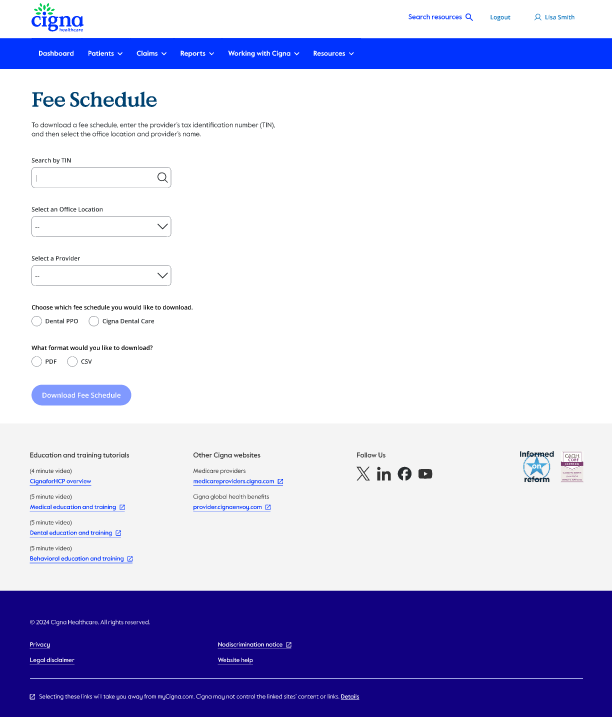
2. To access your dental fee schedule, visit the designated page and enter the practice’s Tax ID number, location, and the provider’s name.
Then, select the applicable plan type(s) for your practice.
You can download your schedule as a PDF or CSV file. The CSV format will allow you to open the file in Excel, making it easy to enter the information into your dental software.
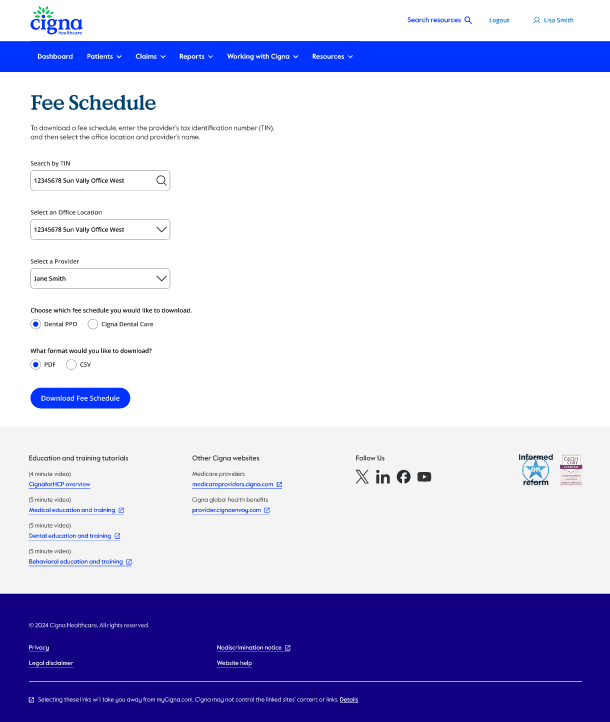
3. Once you have filled in all the required information in the specified fields, you can click the “Download Fee Schedule” button to obtain the document. This will allow you to access the fee schedule for your review.
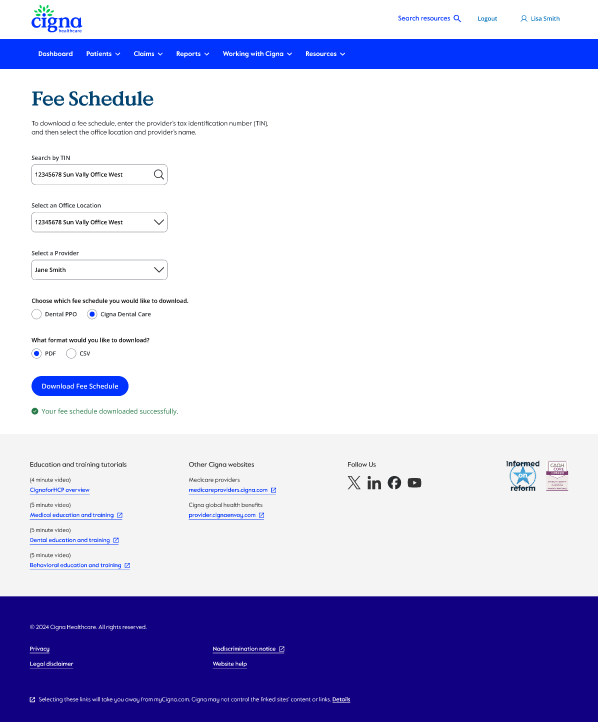
4. Your schedule is now ready for you to review.
To access it, please ensure that any pop-up blockers in your web browser are disabled, as they may prevent the download from appearing. If you encounter any issues while viewing your schedule, double-check your browser settings and try again.
If you have any questions or issues accessing these enhancements, please contact our Provider Service Unit at 800.88Cigna (800.882.4462). Using the voice prompts, identify yourself as a “provider,” and we will happily answer your questions.